800-522-3725
 info@standleys.com
 Support
4 min read
Print Security and HIPPA Compliance: Is Your Office Copier a Risk?
By:
Rachel Redemer
on
September 30, 2026
Updated: October 1, 2026
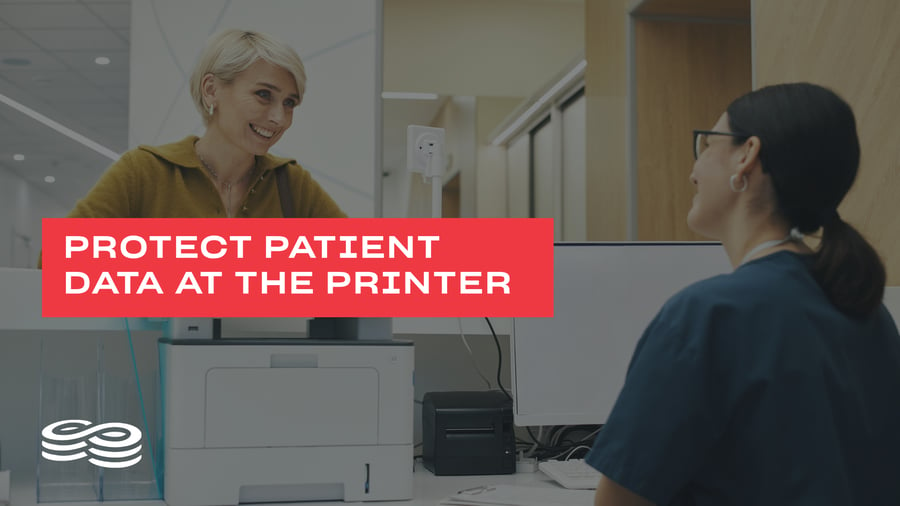
Healthcare organizations work with some of the most sensitive information in any industry. Patient records, insurance documents, test results, and billing statements all contain protected health information (PHI) that must be handled carefully. While many organizations focus on securing their electronic systems, one common vulnerability is often overlooked: the office copier.
Modern printers and copiers process, transmit, and sometimes store sensitive information. Without appropriate safeguards, the print environment can create unnecessary opportunities for PHI to be exposed.
Understanding these risks and establishing secure print practices can help healthcare organizations better protect patient information as part of their broader HIPAA compliance efforts.
Why Copiers Are Often Overlooked Security Risks
Many organizations think of copiers as simple office equipment. In reality, modern multifunction printers (MFPs) are sophisticated network-connected devices that can process significant amounts of information.
Depending on the device and configuration, they may include:
- Internal storage
- Network connectivity
- Document scanning and emailing capabilities
- Print job storage
When employees print or scan documents containing PHI, that information may pass through these devices.
That's why printers and copiers should be considered alongside computers, networks, and other technology when healthcare organizations evaluate how sensitive information is handled and protected.
How Print Devices Can Expose Protected Health Information
Healthcare organizations may print patient intake forms, lab results, insurance records, billing information, prescriptions, and other sensitive documents every day.
Several common situations can create unnecessary exposure.
Unattended Print Jobs
A document containing PHI can be exposed simply by sitting unattended in an output tray. If a device is located in a shared or heavily trafficked area, someone other than the intended recipient could potentially view or collect the information.
Unsecured Device Access
Because many printers are connected to an organization's network, access and configuration should be considered as part of the organization's overall security practices. Appropriate authentication, network controls, and security settings can help reduce unauthorized access.
Data Stored on Devices
Some copiers and printers may retain information associated with print, scan, copy, or fax activity. Organizations should understand how their devices handle data and what happens to that information when equipment is replaced, returned, transferred, or disposed of.
These risks make the print environment an important consideration when evaluating how PHI moves throughout an organization.
Implementing Secure Print Practices
Reducing print-related risk doesn't necessarily require eliminating paper. Instead, healthcare organizations can establish practices that provide greater control over when, where, and how sensitive documents are printed.
One option is secure print release, which holds a print job until the appropriate employee authenticates at the device.
Authentication methods may include:
- Employee ID badges
- PINs
- Approved user credentials
This helps prevent sensitive documents from sitting unattended in output trays.
Organizations should also consider device placement. Printers regularly used for PHI should be located where access can be appropriately controlled rather than in public or heavily trafficked areas.
Think About the Entire Document Lifecycle
Print security shouldn't end when a document leaves the printer.
Healthcare organizations should consider how PHI is handled throughout the entire lifecycle of a physical document—from printing and use to storage and eventual disposal.
That includes asking:
- Who needs access to the documentent?
- Does the information actually need to be printed?
- Where will the document be stored?
- How long should it be retained?
- How will it be securely destroyed?
Reducing unnecessary printing can also reduce the number of physical copies of sensitive information an organization needs to protect.
Include Printers in Security Reviews
Printers and copiers shouldn't be treated as "set it and forget it" equipment.
Like other network-connected devices, they should be considered during regular security reviews.
Organizations may want to review:
- Device access and authentication
- Administrator credentials
- Firmware and security updates
- Network configurations
- Print and scan permissions
- Data storage settings
- Physical device locations
Regular reviews can help identify devices or practices that no longer align with the organization's security requirements.
Don't Overlook Device Disposal
The end of a copier's life can create another potential security concern.
Before a printer or copier is returned, sold, recycled, transferred, or otherwise removed from service, organizations should determine whether the device contains stored information and follow appropriate procedures for handling that data.
Including print equipment in formal device -retirement procedures can help prevent sensitive information from leaving the organization along with the hardware.
Train Employees on Secure Printing
Technology and security settings are only part of protecting printed PHI. Employees also need to understand their role.
Staff should be trained to:
- Pick up sensitive documents promptly
- Verify the correct printer before sending a job
- Avoid unnecessary copies of PHI
- Store printed records appropriately
- Follow retention and disposal procedures
- Report lost or misdirected documents
These practices help make print security part of everyday patient-data protection rather than something handled only by IT.
Best Practices for Print Security and HIPAA Compliance
Healthcare organizations can strengthen their approach to print security by considering several key practices:
- Use secure print release when appropriate
- Restrict device access based on organizational needs
- Keep printer firmware and security settings current
- Include printers in network security reviews
- Understand how devices store and handle data
- Follow secure procedures when retiring equipment
- Train employees on proper handling of PHI
- Securely store and dispose of sensitive documents
No individual feature or practice makes an organization HIPAA compliant. Instead, these safeguards can support a broader approach to protecting PHI and managing security risks.
Protecting Patient Data Beyond the Screen
Protecting patient information doesn't stop with electronic health records, computers, and networks.
PHI moves between digital and physical formats throughout the workday, and organizations need to consider what happens when sensitive information reaches a printer, copier, or piece of paper.
By including the print environment in security planning, healthcare organizations can identify potential gaps, strengthen everyday document-handling practices, and reduce unnecessary exposure of sensitive information.
The copier may be only one part of the healthcare environment, but if it handles patient information, it deserves a place in the security conversation.