800-522-3725
 info@standleys.com
 Support
13 min read
Digital Transformation for Print: Integrating MPS with Document Automation
By:
Kali Mogg
on
March 2, 2026
Updated: March 2, 2026
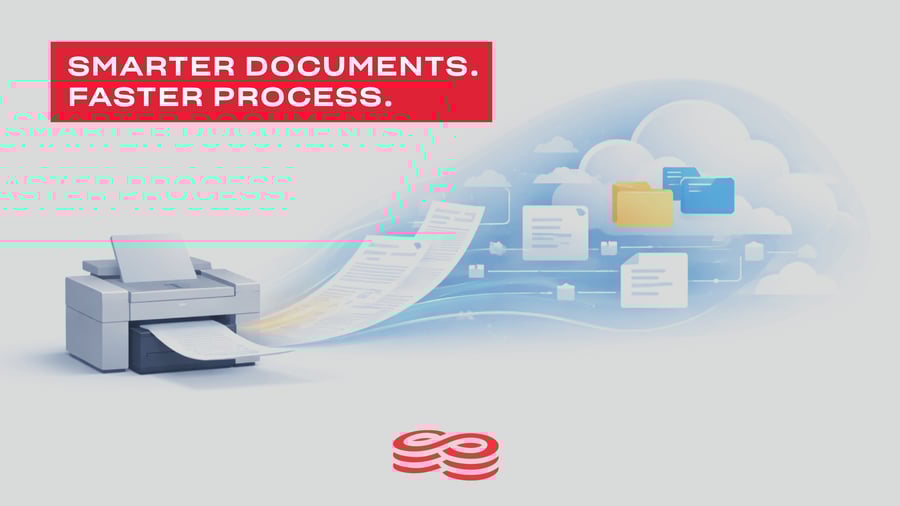
When people think about digital transformation, they often picture cloud platforms, AI, or paperless offices. But in reality, digital transformation usually starts somewhere much more familiar: the printer.
Invoices get printed to be signed. HR forms are scanned and emailed. Purchase orders are copied, filed, and walked down the hall. Print touches nearly every business process, which is why it’s often the perfect place to begin a smarter, more connected way of working.
Managed Print Services (MPS) can absolutely help organizations gain control, visibility, and cost savings. But to unlock real transformation, print needs to connect to something bigger.
That’s where document automation comes in.
Why MPS Alone Isn’t Enough
Managed Print Services do an excellent job of answering questions like:
- How many devices do we have?
- Are they in the right locations?
- Are we overspending on toner, service, or maintenance?
- Who is printing what, and where?
MPS brings structure and efficiency to the print environment, and for many organizations, it’s a critical first step.
But here’s the challenge: MPS optimizes output, not outcomes.
Even with a well-managed fleet, many businesses still struggle with:
- Manual data entry
- Lost or misfiled documents
- Approval bottlenecks
- Compliance risks
- Slow, paper-heavy workflows
In other words, MPS fixes the how of printing but not the why behind the documents themselves.
To truly streamline operations, organizations need to automate what happens before, during, and after a document is printed or scanned.
Document Automation: Turning Paper into Process
Document automation tools take information trapped in paper or PDFs and turn it into searchable, secure, and actionable data.
Instead of documents living in file cabinets or shared drives, automation platforms help businesses:
- Capture documents automatically
- Extract key data
- Route files through digital workflows
- Trigger approvals, notifications, or integrations
- Store everything securely with full audit trails
Common Use Cases Across Departments
Document automation isn’t one-size-fits-all. Some of the most impactful use cases include:
Accounts Payable:
- Automatically capture invoice data
- Route invoices for approval
- Match against POs
- Reduce late payments and manual entry
Human Resources:
- Digitize employee files
- Automate onboarding and offboarding
- Secure sensitive information
- Ensure compliance with retention records
Operations & Administration:
- Centralize contracts and agreements
- Improve document version control
- Eliminate manual filing
- Enable remote access
Healthcare, Education, and Government:
- Maintain compliance
- Improve record access
- Reduce storage costs
- Enhance security and accountability
When document automation is layered on top of MPS, every scan becomes a gateway to a smarter workflow, not just a digital copy.
Why We Recommend DocuWare
At Standley, we work with many document management technologies, but DocuWare consistently stands out for organizations ready to move beyond basic scanning.
DocuWare is a powerful document automation platform that integrates seamlessly with existing print environments, ERP systems, and line-of-businesss applications.
What Makes DocuWare Different?
Intelligent Capture: Automatically index documents using barcodes, keywords, or data recognition – no more manual filing.
Workflow Automation: Create approval workflows for invoices, contracts, HR documents, and more with built-in rules and notifications.
Secure Cloud or On-Prem Options: Choose the deployment model that fits your IT and compliance requirements.
Full Visibility & Control: Search documents in seconds, track status, and maintain audit trails for compliance and accountability.
Scales with Your Business: Start with one department and expand across the organization without disruption.
DocuWare doesn’t replace your print environment – it elevates it.
Real-World Standley Implementation Examples
We’ve helped organizations across Oklahoma and North Texas bridge the gap between print and digital workflows.
Where Print Meets Digital – That's Where We Come In
Digital transformation doesn’t require ripping and preplacing everything you already use. Often it starts by connecting the tools you already have in smarter ways.
At Standley, we don’t just sell printers or software – we design end-to-end document strategies that combine:
- Managed Print Services
- Document automation with DocuWare
- Ongoing support and optimization
If your organization is still printing documents just to scan, email, or file them, there’s a better way.
Let’s talk about how MPS and document automation can work together to transform your workflows, starting with print.
Let’s start the conversation today! Schedule your document workflow assessment and see how DocuWare could help your team work smarter, faster, and more securely.