800-522-3725
 info@standleys.com
 Support

12 min read

A managed service provider agreement is a contract between a business and an outside IT provider that defines the services being purchased, the responsibilities of each party, pricing, and the terms for renewing or ending the relationship. It should also identify measurable service commitments, either within the agreement or in a separate service level agreement (SLA).
Before signing, make sure you understand which systems and employees are covered, when support is available, how issues are prioritized, and what may cost extra. A useful agreement explains both what happens when technology fails and how your provider helps maintain it day to day.
For Oklahoma and North Texas businesses evaluating managed IT services, the following guide explains the documents, SLA examples, pricing considerations, and contract terms to review before choosing a provider.
Managed Services Agreement vs. MSA vs. SLA vs. SOW
These documents describe different parts of an IT services relationship. They may be combined into one contract or incorporated into a set of related documents.
| Document | Purpose | What to review |
|---|---|---|
| Managed services agreement | Defines the ongoing IT services relationship. | Covered services, responsibilities, fees, contract duration, renewal, and termination. |
| Master services agreement (MSA) | Sets overarching terms that can apply to multiple service orders or statements of work. | Payment rules, confidentiality, liability, dispute procedures, and how related documents fit together. |
| Service level agreement (SLA) | Defines measurable service commitments and how performance is evaluated. | Support hours, priority levels, response targets, reporting, exclusions, and applicable remedies. |
| Statement of work (SOW) | Describes the particular services or project being purchased. | Scope, deliverables, responsibilities, pricing, and applicable timelines. |
The abbreviation “MSA” can refer to either a master services agreement or a managed services agreement. Read the full document title and definitions rather than assuming the abbreviation has one meaning. Also check which document controls if provisions conflict.
What should a managed services agreement include?
A managed services agreement should make it clear what your business is buying, what the provider is responsible for, and how the relationship will be managed. Review these areas before signing:
- Service scope: Covered users, devices, servers, applications, networks, locations, and any services or systems excluded from support.
- Support coverage and SLAs: Support hours, contact methods, incident priorities, response targets, escalation procedures, and performance reporting.
- Security responsibilities: Who manages patching, access controls, endpoint protection, security alerts, employee training, and incident response. Identify any customer obligations.
- Backup and recovery: What is backed up, backup frequency, retention, recovery testing, and any agreed recovery time and recovery point objectives.
- Pricing and billing: The monthly fee, billing method, minimum commitments, onboarding costs, licenses, extra work, and how price changes are handled.
- Customer responsibilities: Required system access, supported technology standards, approval processes, employee cooperation, and designated business contacts.
- Data, confidentiality, and access: Data ownership, permitted access, confidentiality obligations, administrative credentials, and data return or deletion procedures.
- Contract duration and renewal: Initial term, renewal rules, notice deadlines, and how services can be added or removed.
- Termination and transition: Grounds for termination, applicable charges, notice requirements, and the process and cost for moving to another provider.
- Risk allocation: Liability limitations, insurance requirements, dispute procedures, and events that may excuse or delay performance.
A service category alone does not define the scope. For example, “backup included” should be supported by details about the data covered, retention periods, recovery procedures, and testing responsibilities.
MSP SLA examples: response times, coverage, and escalation
An MSP SLA should connect the business impact of an issue to a measurable service commitment. The following table illustrates how priorities and initial response targets could be organized. These are educational examples, not Standley Systems service guarantees.
| Priority | Example issue | Illustrative initial response target |
|---|---|---|
| Critical | A business-wide outage prevents employees from accessing a covered core system. | Within 30 minutes during contracted support coverage. |
| High | A significant disruption affects several employees, with limited workarounds. | Within 1 hour during contracted support coverage. |
| Normal | One employee has a support issue and can continue some work. | Within 4 business hours. |
| Service request | A routine access, configuration, or setup request. | Within 1 business day. |
Targets vary by provider and agreement; use these as a reference point when comparing proposals.
Response time is different from resolution time
A response target describes how quickly the provider begins the agreed response process. A restoration target concerns returning a service to operation, which may involve a workaround. Resolution concerns correcting the underlying issue. Ask whether a response means an automated acknowledgment, technician contact, or active troubleshooting.
The agreement should also define when the clock starts, any conditions that pause it, who assigns priority, and what happens when an issue needs escalation. A response target does not by itself promise a fix within that time.
Define support hours and uptime measurements
Confirm whether targets apply during business hours or around the clock, including weekends and holidays. Continuous monitoring does not automatically mean every support request receives 24/7 technician assistance.
If an agreement includes an uptime commitment, identify the specific service covered, the measurement period, how downtime is calculated, and any exclusions, such as approved maintenance. Clarify how third-party internet, cloud, and software outages are handled.
Check reporting and remedies
Ask how often you will receive SLA performance reports and how missed targets are addressed. If service credits are available, review eligibility, calculation methods, claim deadlines, and caps. Compensation is determined by the agreement; it should not be assumed.
How long does a managed IT services contract last?
Managed IT contract lengths vary by provider and service scope. When comparing proposals, review whether the agreement is month-to-month, annual, or multiyear. A proposal might specify a 12-, 24-, or 36-month initial term, but the right choice depends on your business needs and the obligations in the agreement.
| Contract option | What to evaluate |
|---|---|
| Month-to-month | Cancellation notice, onboarding charges, pricing changes, and any separate license or equipment commitments. |
| Annual | First-year scope, renewal timing, price adjustments, and what happens if your needs change before the term ends. |
| Multiyear | Longer-term pricing, service reviews, flexibility to change user counts, termination rights, and exit costs. |
Monthly billing does not mean a monthly contract. An agreement billed each month may still commit your business to a longer initial term.
Before signing, check the auto-renewal provision, written notice deadline, permitted price increases, and any minimum user or device count. Ask how acquisitions, office closures, or staffing changes affect the scope and fee.
Plan for the end of the relationship as carefully as the beginning. The agreement should explain how your business receives its data, administrative credentials, documentation, and transition assistance, along with any associated charges and timelines.
How are managed services agreements priced?
Compare per-user pricing, per-device pricing, and fixed monthly fees for a defined environment. Some proposals combine these approaches. For each quote, identify the covered services, support hours, security responsibilities, and extra charges.
- Per-user pricing: The fee is based on covered employees or users. Check which devices, applications, and support services are included for each person.
- Per-device pricing: Charges depend on the equipment being managed. Confirm how workstations, servers, network devices, and other systems are counted.
- Fixed monthly pricing: A recurring fee covers an agreed scope. Review the assumptions, exclusions, minimum commitments, and triggers for changes.
Identify costs outside the monthly fee
Ask about onboarding, migrations, software subscriptions, hardware, after-hours work, onsite visits, major projects, and transition assistance. Confirm whether the agreement allows annual increases and how adding or removing users changes the bill.
For an Oklahoma organization, discuss the systems, support needs, and service scope that should be reflected in a tailored managed IT services proposal.
Questions to ask before signing an MSP agreement
- Which users, devices, applications, and locations are covered, and what is excluded?
- How are support priorities assigned, and what counts as an initial response?
- Which services have response, restoration, or resolution targets?
- Do support targets apply during business hours or 24/7?
- How are unresolved issues escalated, and who communicates with our team?
- How are security, backup, and recovery responsibilities divided?
- Which onboarding, licensing, project, onsite, or after-hours costs are included, and which are billed separately?
- How are service performance and recurring issues reported?
- What is the initial contract term, and does it renew automatically?
- How can prices, user counts, or service scope change during the term?
- What notice and charges apply if we end the agreement?
- How will we receive our data, credentials, documentation, and transition support?
Compare each provider's written answers against the proposed agreement. Ask for important commitments to be documented before signing rather than relying on a sales conversation alone.
Critical SLA Clauses To Consider
While SLA agreements vary significantly, the following clauses usually contain critical information that must carefully be evaluated before an agreement is reached:
Payment clauses
Some MSPs require payment following the delivery of services, while others stipulate it must be made in advance. Ensure you are entirely aware of the state of your services and data in the event there is a failure to pay, including any interest charges. Check the fees and payment schedule section to make sure you agree with all the terms.
Termination clause
Carefully evaluate the termination clause to determine what you need to do if you wish to terminate the contract. This includes written notice, any additional payments that must be made, and any procedures or obligations that must be fulfilled before you can end the contract.
Force Majeure
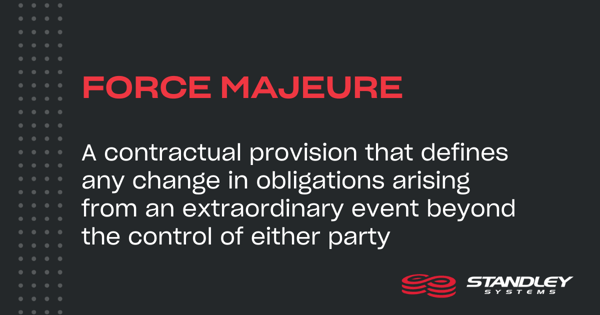
A force majeure clause is a contractual provision that defines any change in obligations arising from an extraordinary event beyond the control of either party. That could include a natural disaster, act of terrorism, or other events that prevent the fulfillment of obligations outlined in the contract.
If there is a force majeure clause in the SLA, carefully evaluate how it is defined and how it affects the MSP’s responsibilities. In most force majeure clauses, the contractual language typically provides adequate client coverage, stating that reasonable efforts will be taken to minimize the duration and consequences of any performance delay resulting from a Force Majeure event.
Managed Service Provider Agreement FAQs
What should a managed services agreement include?
A managed services agreement should identify covered services and systems, provider and customer responsibilities, support coverage, service levels, pricing, security and backup obligations, contract duration, renewal rules, and termination procedures. It should also explain data ownership and the process for moving to another provider.
What is the difference between an MSA, SLA, and SOW?
A master services agreement (MSA) sets overarching terms for the relationship. A service level agreement (SLA) defines measurable service commitments. A statement of work (SOW) describes the particular services or project being purchased. MSA can also mean managed services agreement, so check the full document title and definitions.
What is the difference between SLA response time and resolution time?
Response time measures how quickly the provider begins the agreed response process. Resolution time concerns correcting the underlying issue. A response target does not guarantee a fix within that period. The SLA should explain what counts as a response, when timing begins, and which support hours apply.
How long does a managed IT services contract last?
Compare month-to-month, annual, and multiyear proposals against your service needs. Check the initial commitment, automatic renewal, notice deadlines, price adjustments, and early termination provisions. Monthly billing does not necessarily mean the contract can be canceled each month.
What costs fall outside the monthly managed services fee?
Check whether onboarding, migrations, hardware, software subscriptions, projects, onsite visits, after-hours support, and transition assistance are included in the monthly fee or billed separately. Ask the provider to identify exclusions, rates, and approval requirements in writing before signing.
What happens when you switch managed service providers?
The agreement should define the notice required, any applicable charges, and how data, administrative credentials, documentation, and other agreed materials will be transferred. It should also identify transition responsibilities and timelines, including how access is removed and retained data is handled after the handoff.
Define the right IT support scope for your business
Standley Systems has supported Oklahoma businesses since 1934, with local offices and technicians across the state. Our team helps organizations evaluate managed IT services and define support expectations around their technology and business priorities.
Explore Standley's managed IT services and request a consultation to discuss the service scope and expectations for your organization.